Highlights
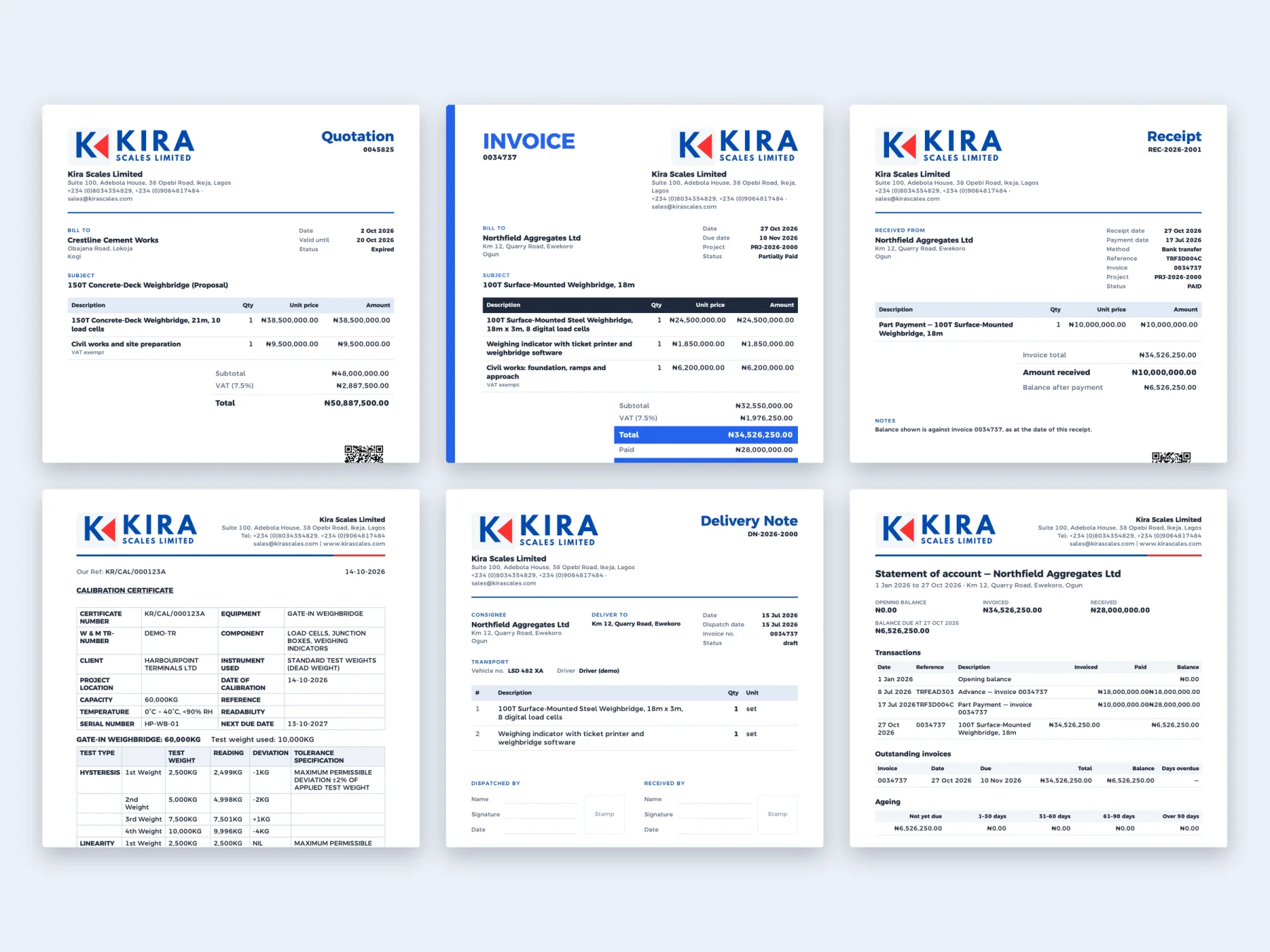
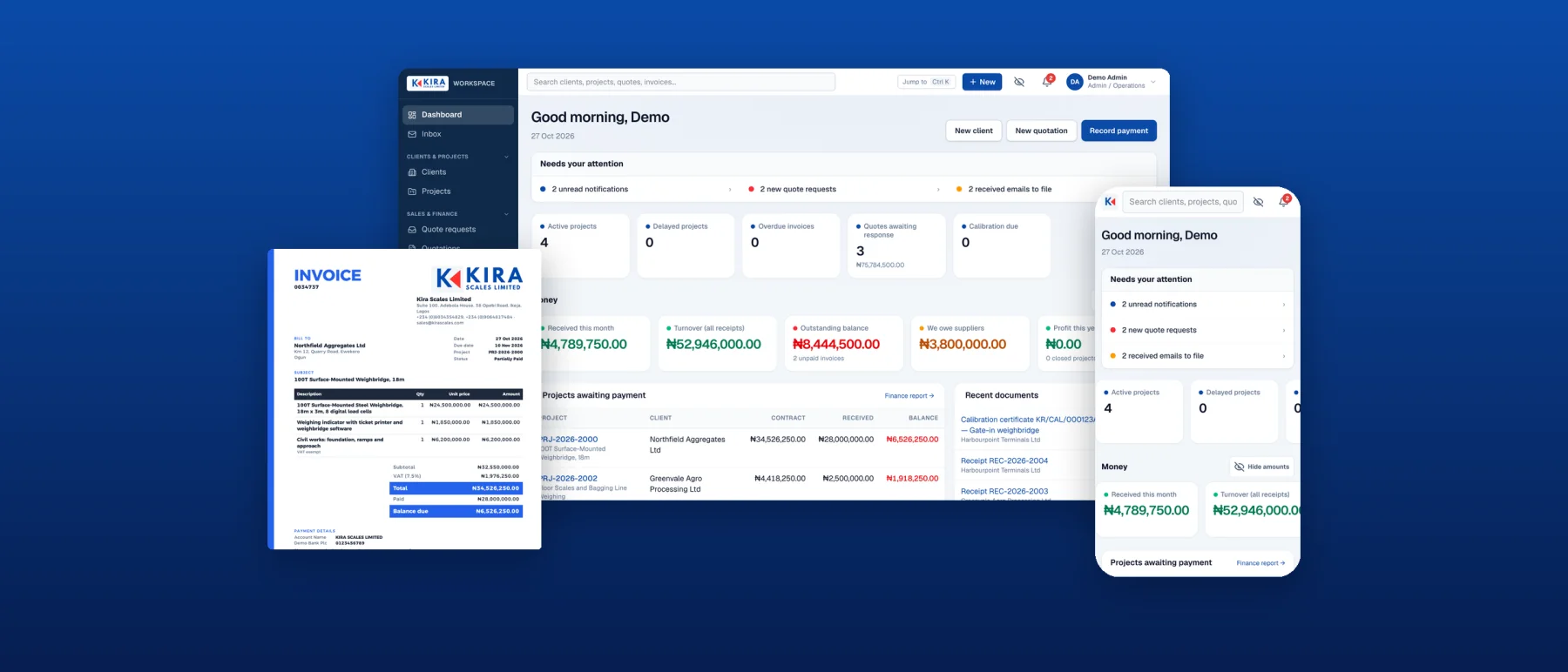
- Every quotation, invoice, receipt, letter and certificate comes from one PDF engine with one letterhead
- Issued documents carry a QR code that anyone can scan to confirm they are genuine
- Money is stored as exact whole kobo, never floating point
- Every permission is checked on the server, and every change is written to an audit log
- Sign-in with fingerprint or Face ID, plus required two-factor for finance and admin roles
- Website enquiries arrive as numbered quote requests through a signed, private integration
The problem
Kira Scales Limited supplies, installs and calibrates weighbridges and industrial scales across Nigeria. Its day-to-day work ran on Word templates, spreadsheets, WhatsApp and memory: quotations typed by hand, invoice numbers kept in someone's head, payments matched to jobs at the end of the month, and calibration certificates rebuilt from old files.
Nothing was connected. It was hard to answer simple questions such as "what does this client still owe?", "did this project make money?" or "when is this scale due for calibration?".
What it does
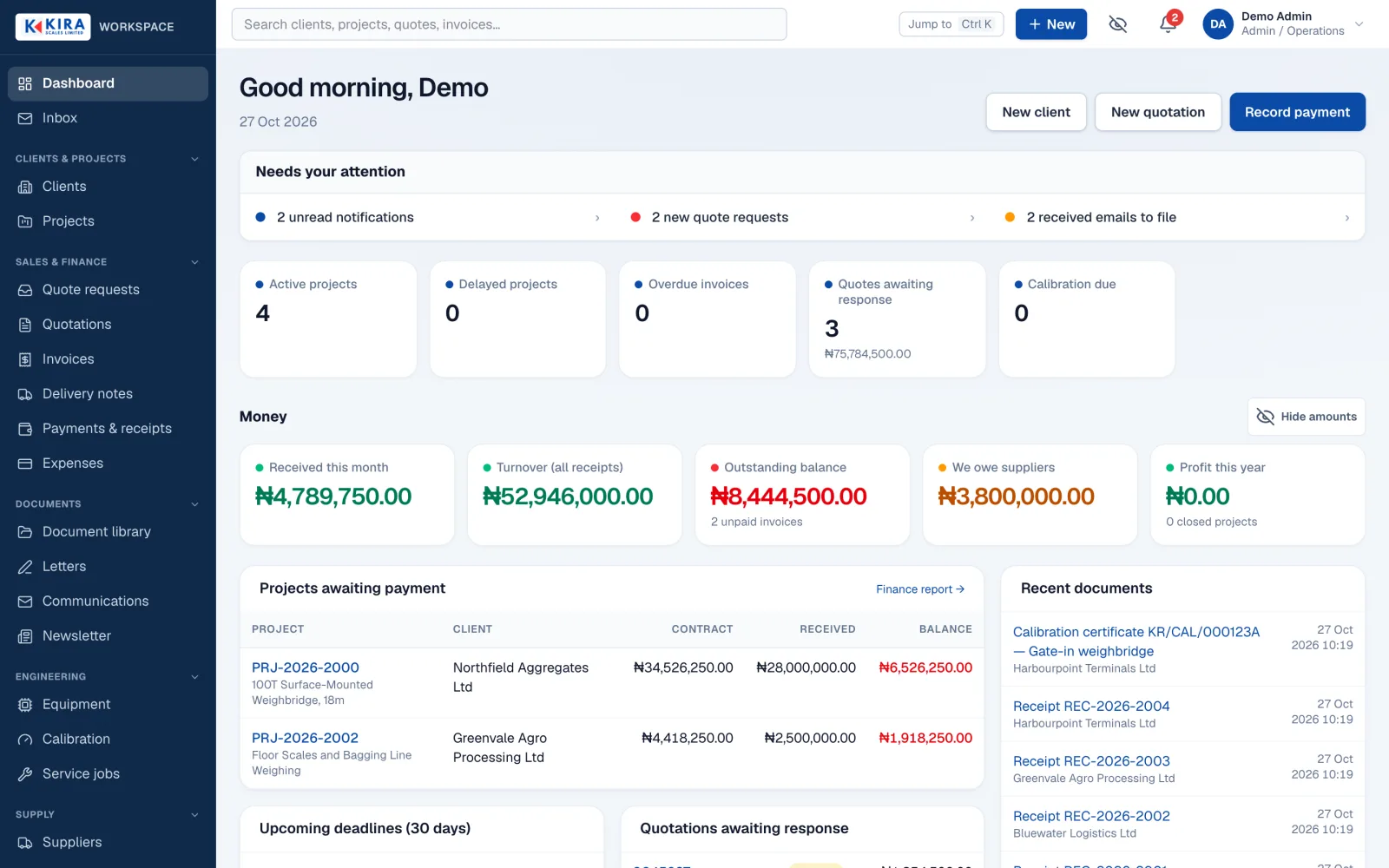
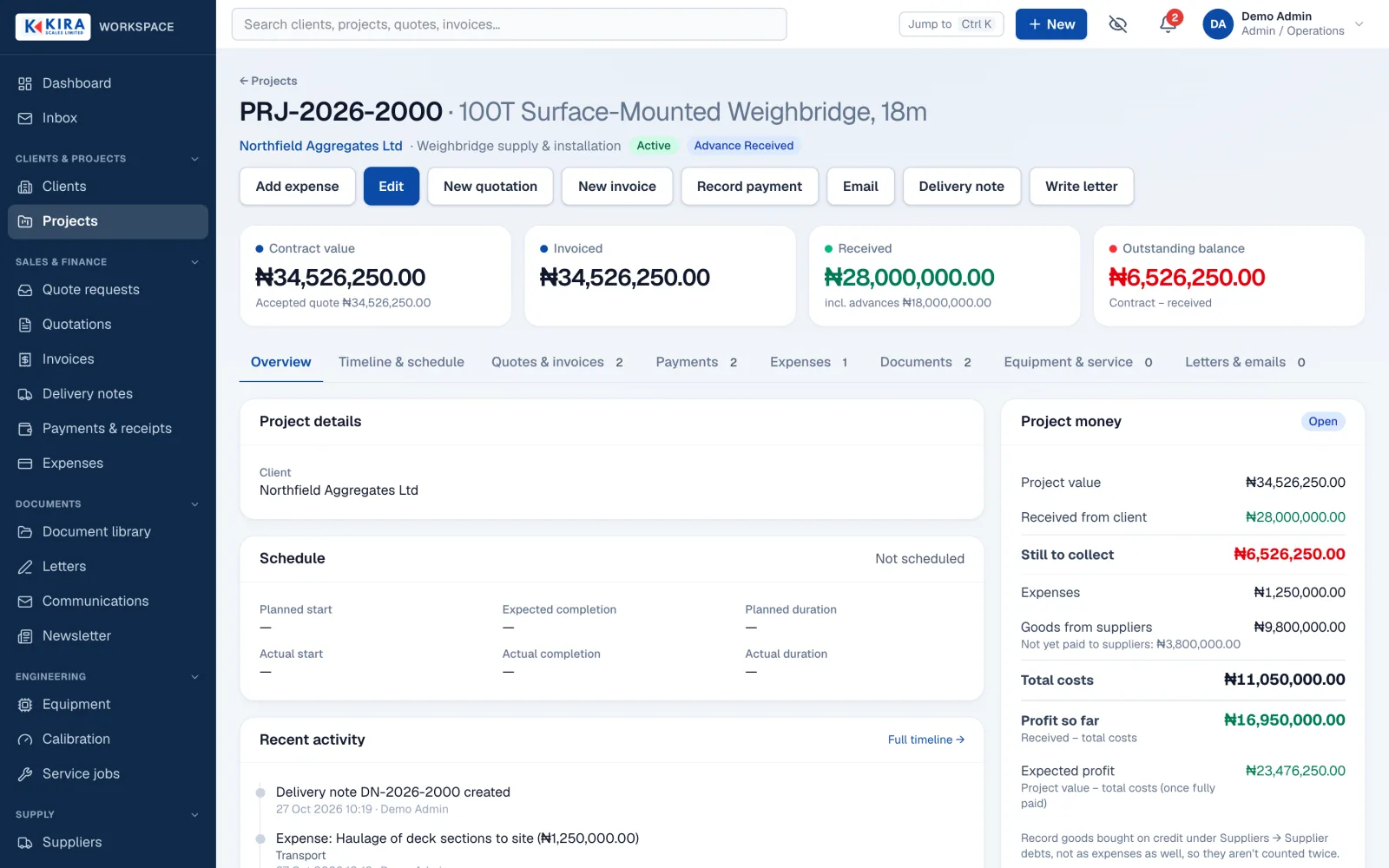
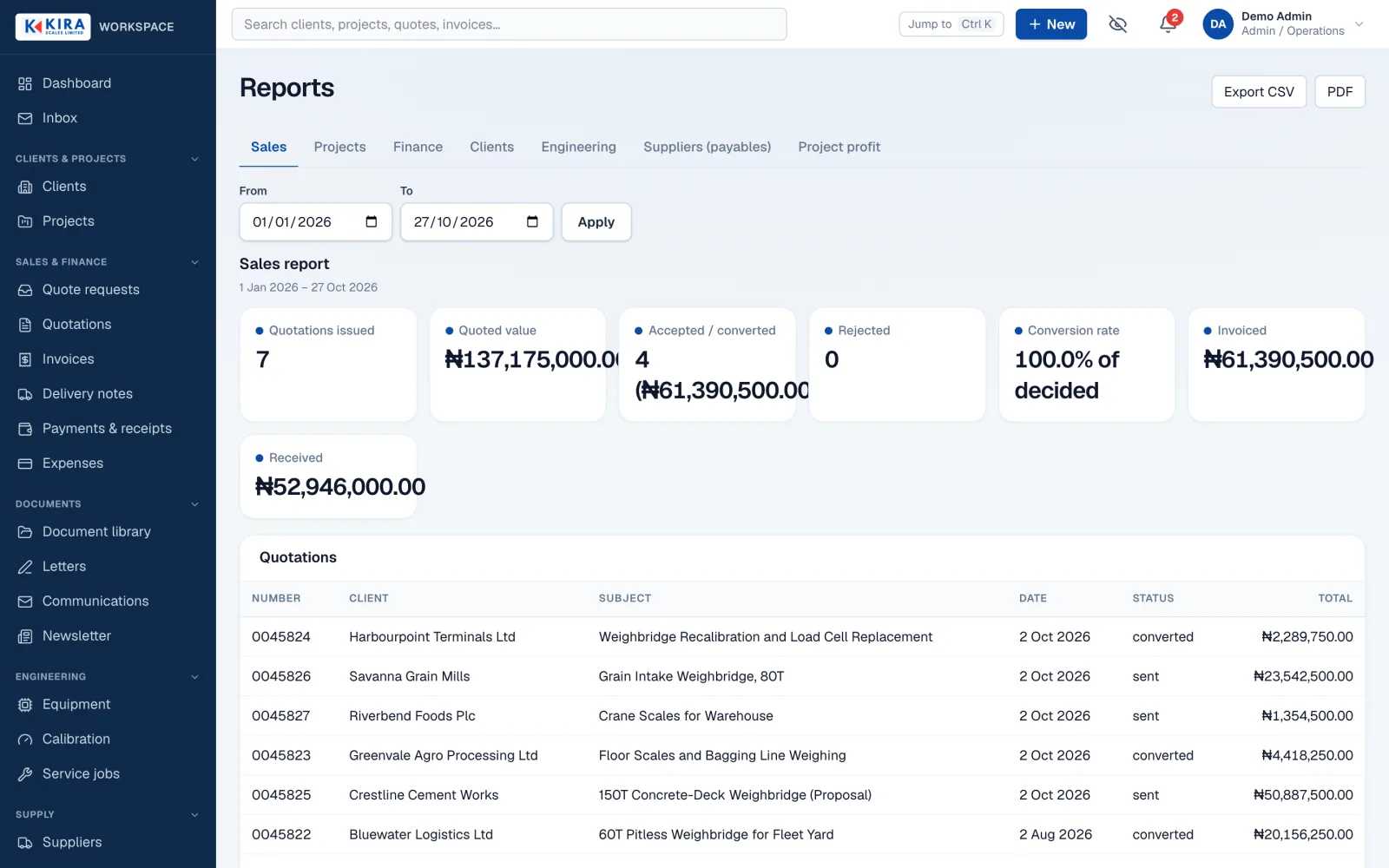
- Clients and projects at the centre: every quotation, invoice, payment, expense, letter, document and email links back to a client and a project, with one timeline for each.
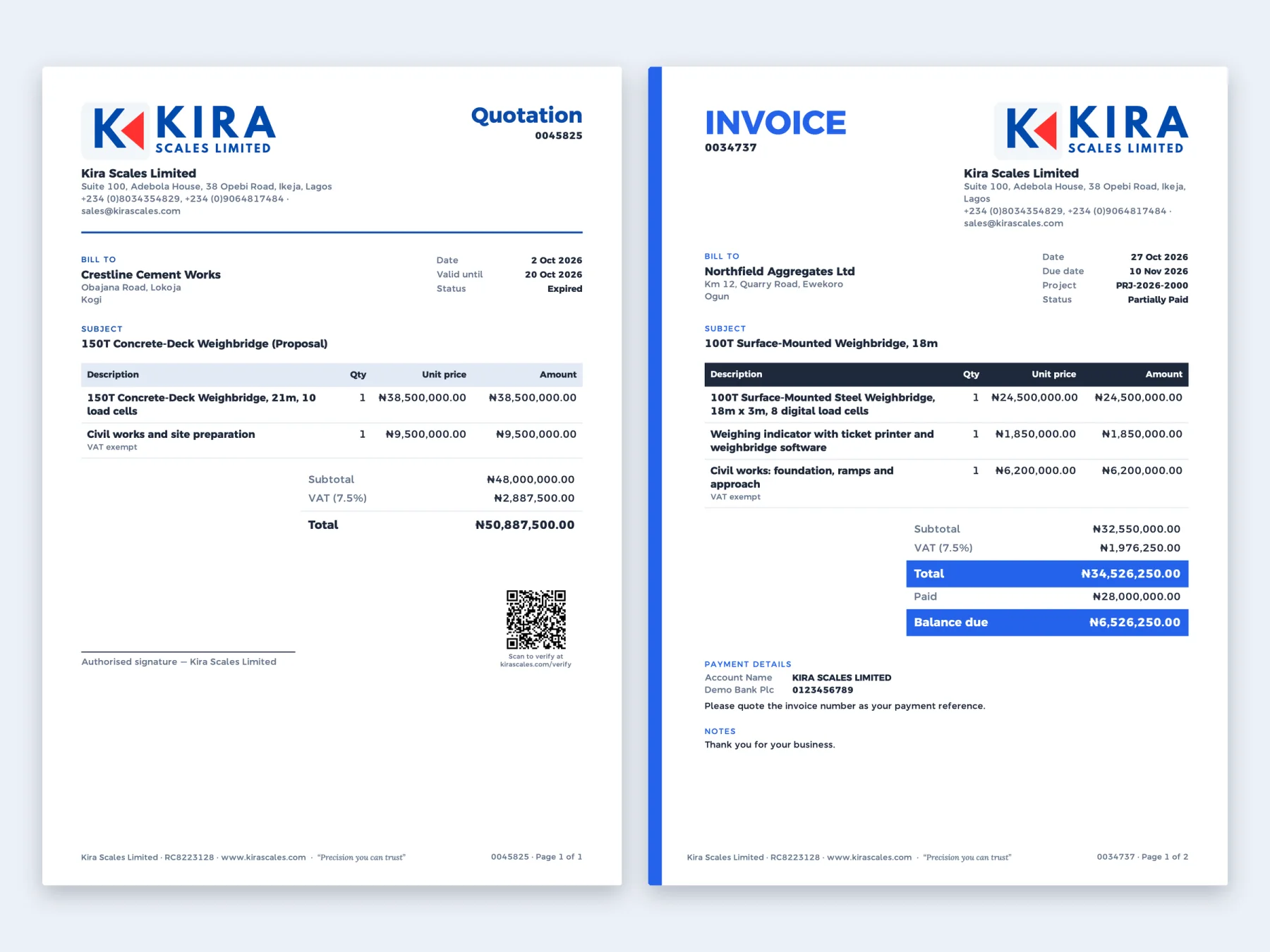
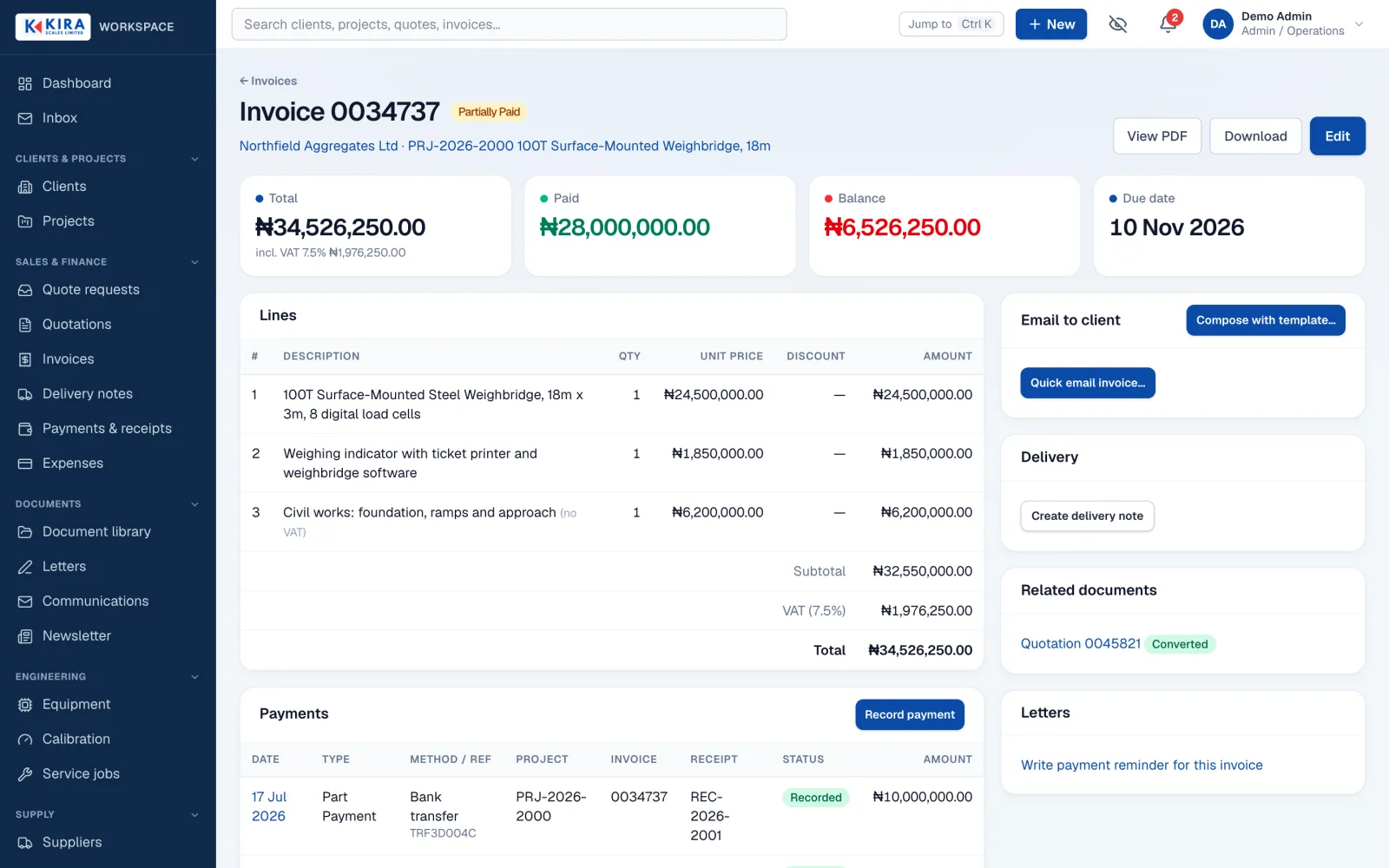
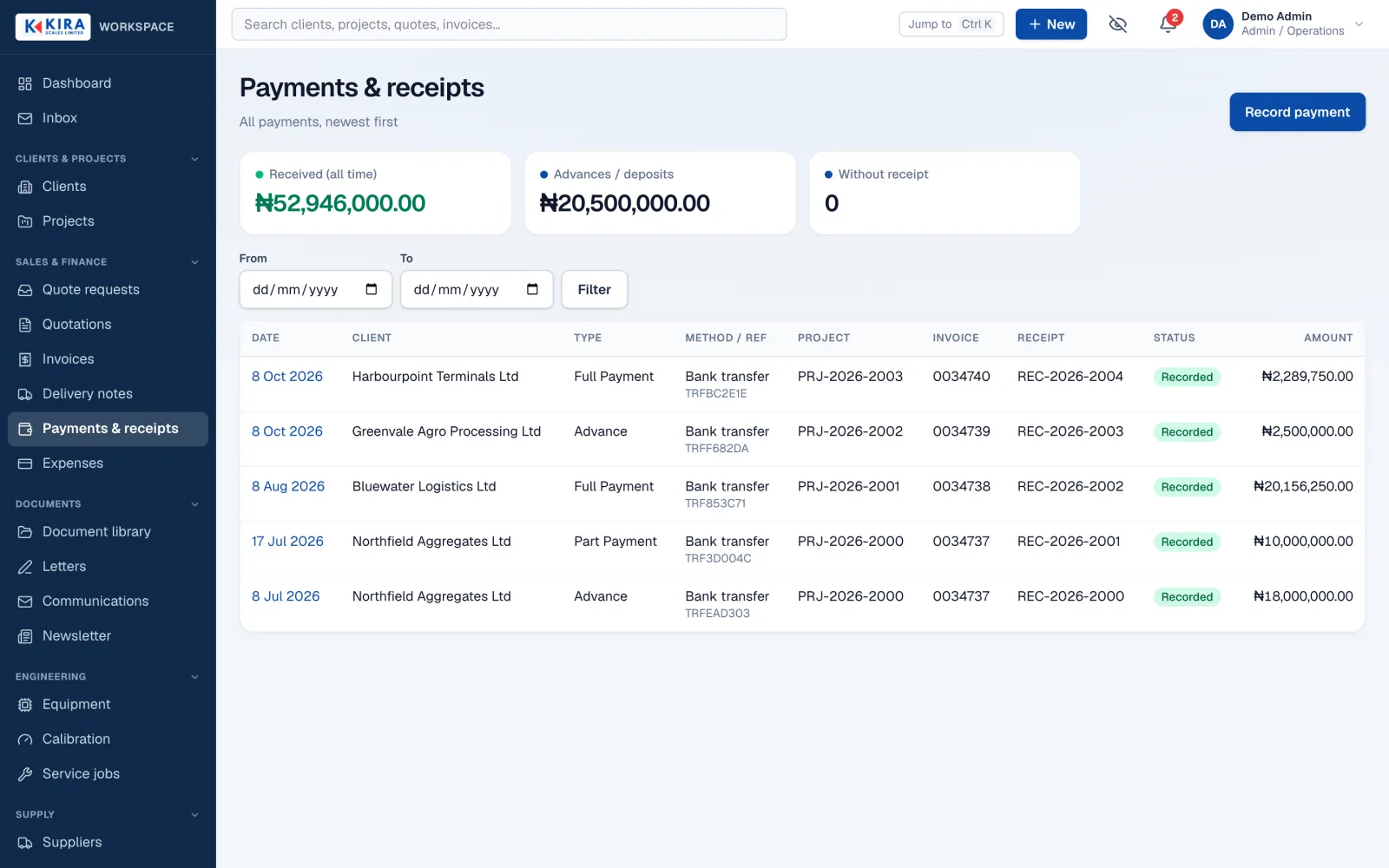
- Sales documents: quotations and invoices built from Kira's own sample documents, with saved products, editable prices, VAT, sections and long-document pagination. Receipts mark part, full or final payment automatically.
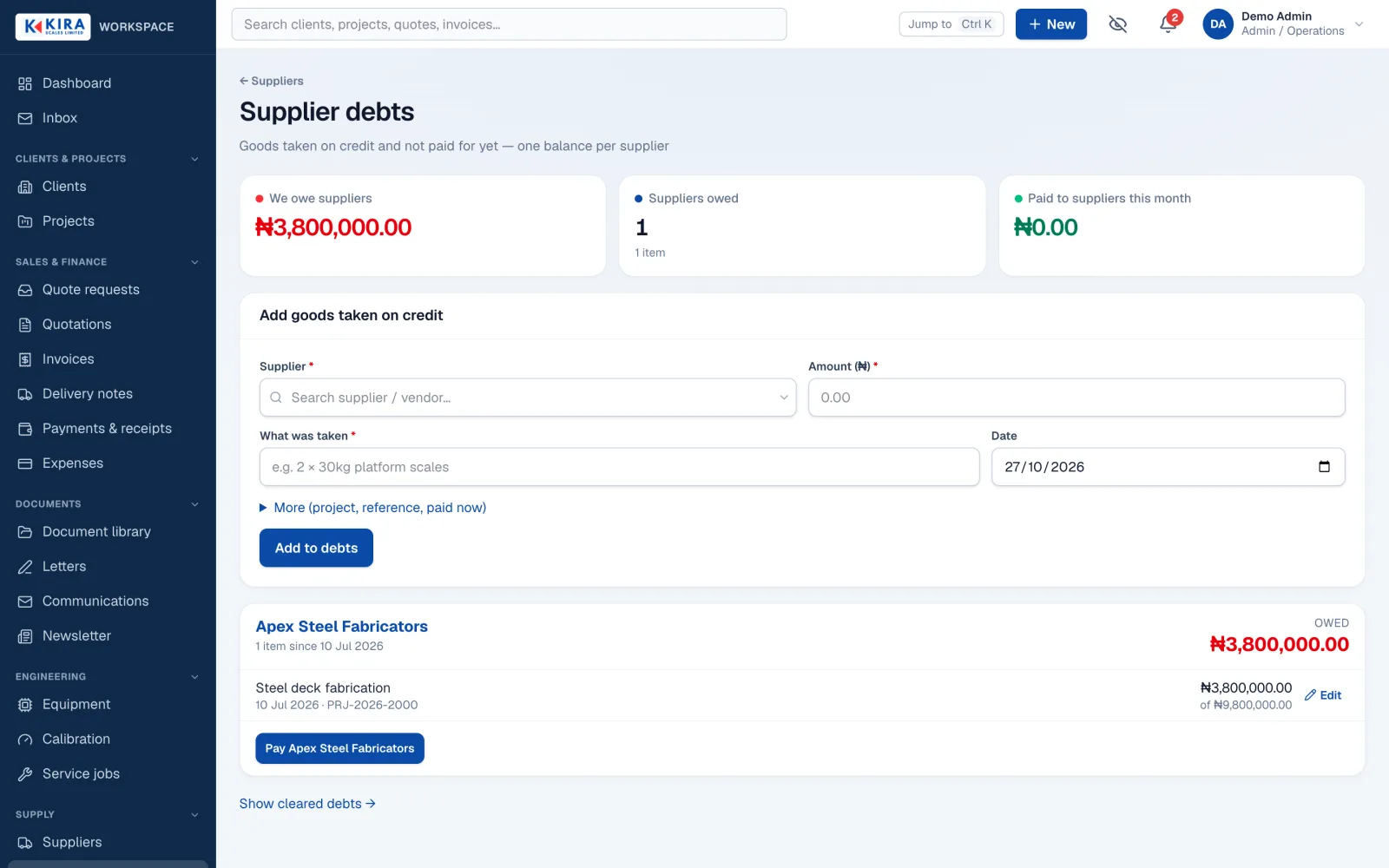
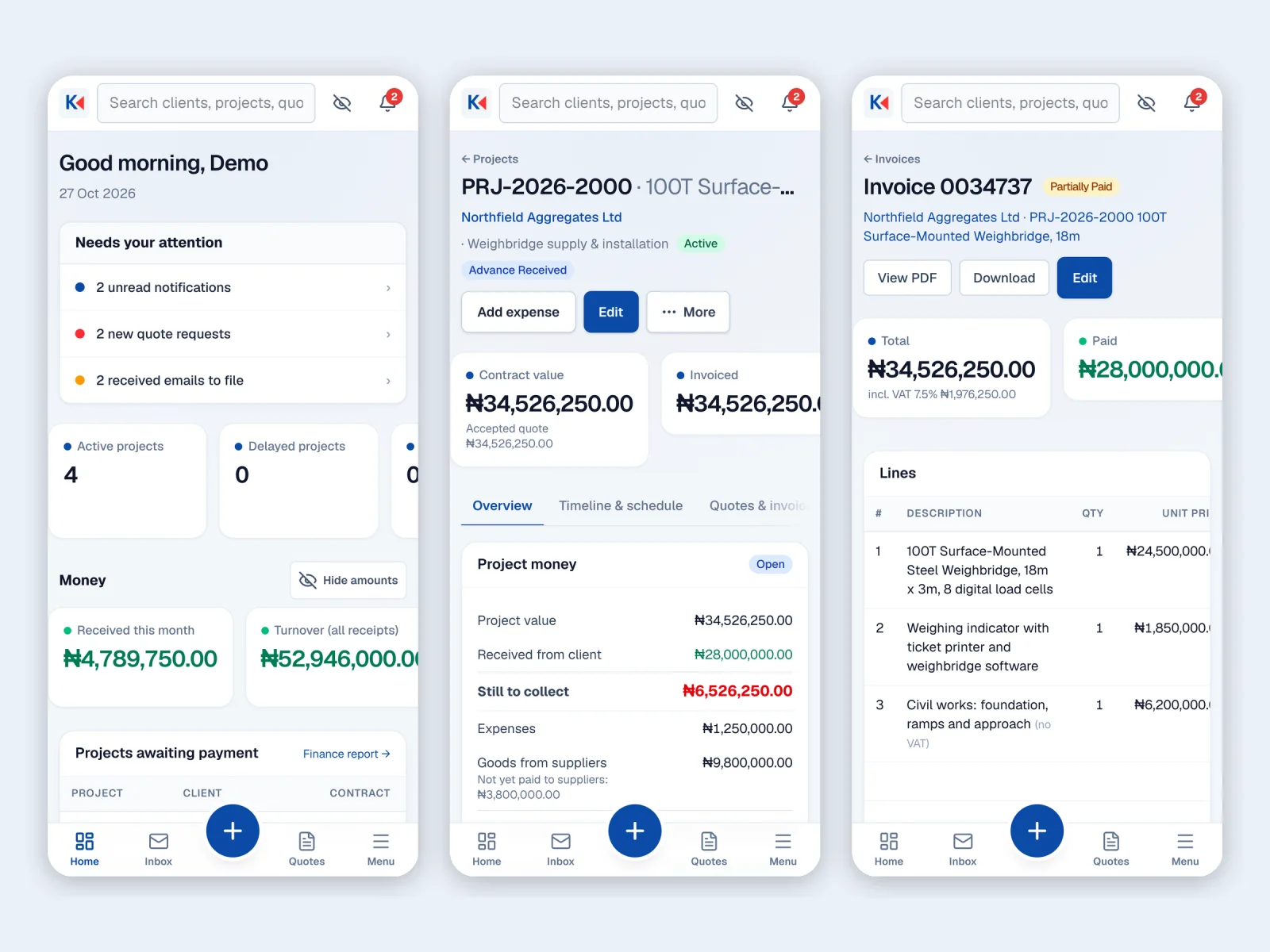
- Money: payments, receipts, project expenses with receipt photos, supplier debts with "pay all" or "pay half", and project profit. A privacy eye hides figures on screen until tapped.
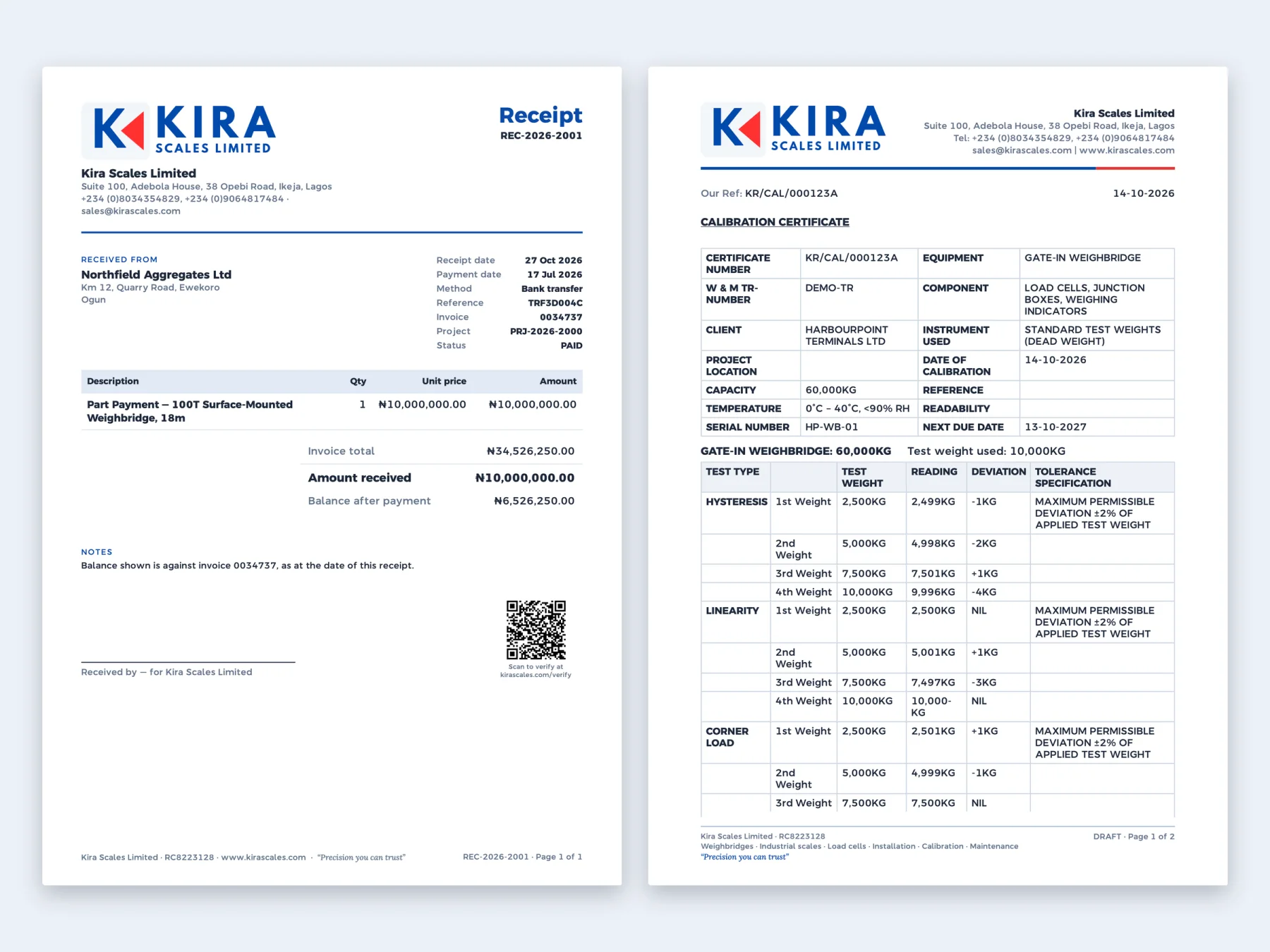
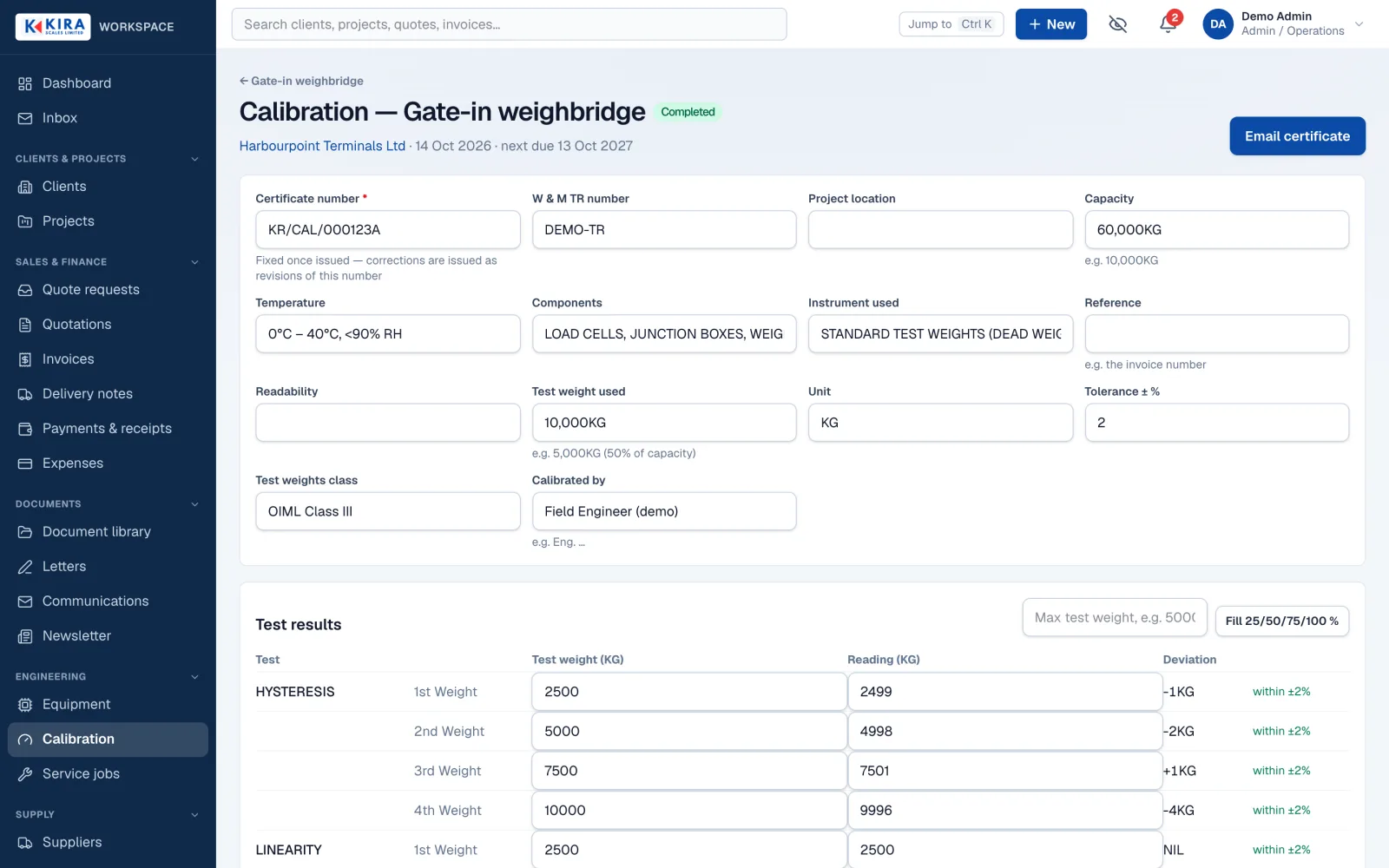
- Field work: equipment registers, service jobs, calibration recording, and certificates numbered per visit and instrument.
- Letters and email: a rich-text letter editor with merge fields, branded emails sent from the company mailboxes, and an Inbox that threads received and sent mail and matches it to clients.
- Document vault: private file storage with server-checked access for every download. Nothing is ever public by link.
- Notifications and reports: a notification centre, Web Push with generic payloads, daily reminders, and reports by project, client and period.
- Mobile: an installable app with a phone bottom bar, card lists, touch sizing, and forms that survive a dropped connection.
Architecture
- Edge
- Caddy (TLS, private host, noindex)
- App
- Next.js App Router (server components + server actions)
- Auth-checked API routes
- Installable PWA shell
- Core
- Permission-guarded actions
- Document & PDF engine
- Finance engine
- Numbering
- Email & Inbox sync
- Notifications
- Data & services
- PostgreSQL 16
- Private file storage
- Transactional email
- Mailbox (IMAP, read-only)
- Off-site backups
Engineering challenges
Matching real documents, page for page
The quotations and invoices had to look exactly like the ones clients already knew. I studied Kira's sample documents, rebuilt them as React PDF templates on one shared engine, and added pagination rules so long quotations split cleanly across pages. Every document, from a receipt to a calibration certificate, now shares the same letterhead, fonts, sign-off and company stamp.
Numbers that never collide or skip
Quotations, invoices, receipts, delivery notes, letters and certificates each have their own approved numbering format. Each number comes from an atomic counter per series and year, inside the same database transaction as the record it belongs to. Two people issuing at the same moment can never get the same number.
Documents that prove themselves
A printed invoice or certificate is easy to forge. Every issued document carries a QR code that opens a verification page on the public website. Each code is a long random token, and the website checks it with the Workspace through a signed private endpoint that returns only what is needed: issued, expired or cancelled. Certificate look-ups are also rate-limited per visitor. The Workspace itself is never exposed to the public.
Private by design, not by obscurity
The app has no public pages and is hidden from search engines, but that is not the protection. Sessions are stored in the database, every page and action checks a permission on the server, and finance and admin roles must use two-factor sign-in. A security audit also closed brute-force, CSRF, SSRF and spoofed-IP gaps, and every change is written to an audit log in the same transaction.
Running reliably on a small server
The app runs as one Docker container behind Caddy on a modest VPS. It has health checks, nightly encrypted backups copied off the server, uptime monitoring and a weekly cleanup of old builds. Deploys are pinned to a specific commit, so rolling back is a single command.
Results
The Workspace is live and in daily use by Kira's sales and admin staff, on desktop and on phones. Its design decisions are recorded in a numbered log of more than 170 entries, and the unit, integration and end-to-end tests run against real PostgreSQL databases.
Gallery